


![shaftwhores only by [EXE]dann](/files/avatars/2007/51852-shaftwhore.gif "shaftwhores only by [EXE]dann")


A4tech X7 X-710BF
Price: £15
Size: 121mm x 68mm x 36mm
Shape: Right-handed
Buttons: 6
Wheel: Vertical
Sensor: Optical
Resolution: 1000 DPI
USB Rate: 125 Hz
The final mouse in my tests, almost a wild card, is the A4tech X7 gaming mouse. I don't know the company very well, but they claim to have a high quality mouse for a reasonable price. The X7 I picked up had a faux snake-skin cover on the top, which looked and felt rather better than it seems written down. The shape of the body is symmetrical, but A4tech put buttons and an extra grip panel on the left side meaning it has been designed mainly for right-handed players. The mouse wheel is semi-transparent and lights up in a colour to indicate your current DPI setting, changeable between 400, 600, 800 and 1000 by clicking the button just behind the wheel. A4tech are also the only company to put teflon pads on either side of the mouse sensor, I would assume to ensure that the sensor remains at the same height on uneven surfaces. This seems like a sensible move.

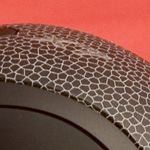
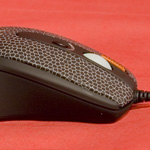
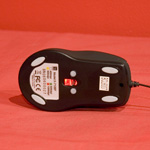
Click for larger photos
My X7 mouse also featured an extra button just between the left button and the wheel that acts as a triple left click with just one press. Apparently this is useful for firing quickly in some games, or just for an easy double-click in Windows. While I don't have a problem with double clicking myself, I can see how this extra button may have some use.
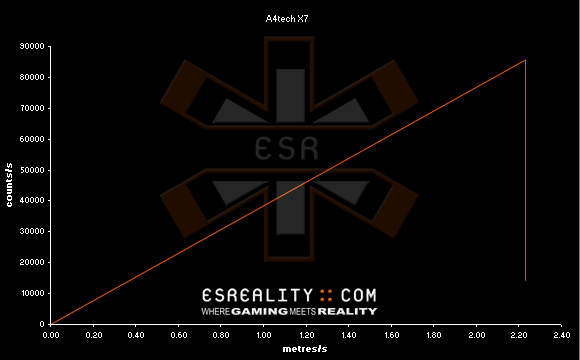
A4tech X7 Response Graph 2.23 m/s (88"/s)
Malfunction Speed: 2.23 m/s (88"/s)
Price: £15
Size: 121mm x 68mm x 36mm
Shape: Right-handed
Buttons: 6
Wheel: Vertical
Sensor: Optical
Resolution: 1000 DPI
USB Rate: 125 Hz
The final mouse in my tests, almost a wild card, is the A4tech X7 gaming mouse. I don't know the company very well, but they claim to have a high quality mouse for a reasonable price. The X7 I picked up had a faux snake-skin cover on the top, which looked and felt rather better than it seems written down. The shape of the body is symmetrical, but A4tech put buttons and an extra grip panel on the left side meaning it has been designed mainly for right-handed players. The mouse wheel is semi-transparent and lights up in a colour to indicate your current DPI setting, changeable between 400, 600, 800 and 1000 by clicking the button just behind the wheel. A4tech are also the only company to put teflon pads on either side of the mouse sensor, I would assume to ensure that the sensor remains at the same height on uneven surfaces. This seems like a sensible move.
Click for larger photos
My X7 mouse also featured an extra button just between the left button and the wheel that acts as a triple left click with just one press. Apparently this is useful for firing quickly in some games, or just for an easy double-click in Windows. While I don't have a problem with double clicking myself, I can see how this extra button may have some use.
A4tech X7 Response Graph
Malfunction Speed: 2.23 m/s (88"/s)