Hi everyone,
I'm building
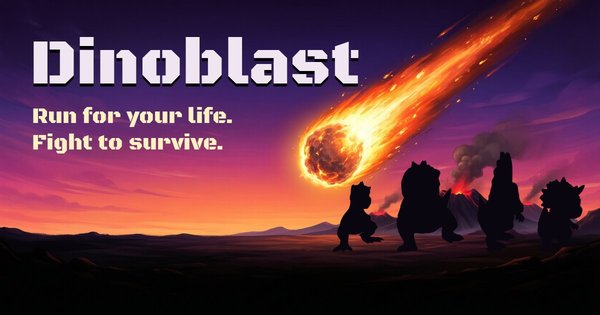
Dinoblast, a movement game in the spirit of Quake and
defrag: strafe jumping, bunny hopping, double jumps, rocket jumps... except you play as a dinosaur. It runs straight in the browser, nothing to install:
https://dinoblast.net
A short early gameplay clip:
gameplay.mp4
What the game is about today: racing (runs)
- Timed maps: straight line, slalom, ramps, circle, gaps, mazes...
-
Ghosts of the best times, so you can see the lines other players take.
- A
world leaderboard per map, with an auto-generated nickname (you can change it).
- Configurable keys, sensitivity and FOV, AZERTY friendly.
Work in progress
-
FFA against bots: weapons to pick up (rocket launcher, railgun, lightning gun, poison grenades...), health and armor.
- Online
duel.
- And, if there are enough players,
TDM and
CTF.
What I'm looking for
- Feedback on how the
movement feels: speed, jumps, air control, rocket jumps.
-
Bugs and
performance issues (please mention your GPU / CPU and browser).
- Anything confusing or frustrating in your first minute of play.
- Ideas for race maps.
Under the hood
The engine is written in
Rust compiled to WebAssembly, with a home-made
WebGL2 renderer and a deterministic simulation at 125 Hz (replays and ghosts play back the exact same run).
Optimization is a design goal, not an
afterthought: a stable 60 fps on an Intel iGPU at 1080p, 144 fps on a mid-range GPU at 1440p, and the
whole game stays under 20 MB downloaded. Every texture and model has a budget, and anything over it is refused. A good share of the
assets (textures, dinosaur models, sounds) comes out of a
local generation pipeline: image, image-to-3D and audio models running on my own machine, then touched up by hand.
Feedback on Discord:
https://discord.gg/dr5cJX36B
Thanks in advance, and happy running! 🦖



![shaftwhores only by [EXE]dann](/files/avatars/2007/51852-shaftwhore.gif "shaftwhores only by [EXE]dann")


 k1llsen 3-1 in the grand final. It is his 14th title in the series and his first since #219.
 baSe 2-0 in the upper semifinals, then defeated k1llsen 2-0 in the winners final. k1llsen returned to the final with a 2-0 win over baSe, who finished third, but lost the rematch against Strongsage.
 cYpheR, then lost the rematch. cYpheR finished third and
  Yup fourth.







 Thri11er.
 1eroy 2-0. His winners-bracket match against baSe is scored -1:0. From the lower bracket he beat
  Radist_dk 2-0,
  fire_bot 2-0 and dazator 2-0, then closed the final 3-0.
 STING 2-0,
  UK third,
  Benelux 6,
  Slovenia 4,
  Denmark 3.
 France, the
  Spain finished on 0.

 baksteen and

 JaGGz
JaGGz





![:-]]](/files/avatars/2013/95655--[[.png ":-]]")


